flowchart LR
    subgraph notebook ["Notebook"]
        N["Your .py cells"]
    end
    subgraph connect ["Connect dropdown — pick one"]
        C["All-purpose cluster<br/>classic Spark in your Azure sub"]
        S["Serverless<br/>Databricks-managed Spark"]
        W["SQL warehouse<br/>SQL / BI only"]
    end
    subgraph sidebar ["Compute sidebar"]
        M["Create & start<br/>de-workshop cluster"]
    end
    M -.-> C
    N --> C
    N -.-> S
    N -.-> W

    classDef computeCluster fill:#ff3621,color:#fff,stroke:#c42a15
    classDef serverless fill:#94a3b8,color:#fff,stroke:#64748b
    classDef warehouse fill:#e2e8f0,color:#1e293b,stroke:#94a3b8
    classDef cells fill:#0057b8,color:#fff,stroke:#003d82
    classDef manage fill:#f59e0b,color:#1e293b,stroke:#d97706

    class N cells
    class C computeCluster
    class S serverless
    class W warehouse
    class M manage
Module 2: Databricks Pipeline
PySpark, Unity Catalog, and Delta Lake

Duration: 75 min — Animation (3) · Think & Discuss (7) · Theory (15) · Quiz (3) · Practice (47)
NoteBefore you start
- Databricks access + Git folder from your fork
- Lab: complete Exercise: Databricks § Before you start (cluster,
00_setup.py) before Bronze ingestion
2. Think & Discuss
Situation: Elena approved Databricks for the prototype. Sofia pairs with Bob on PySpark. Raw Parquet sits in ADLS2. Priya waits for Gold tables for her Overview page.
Prompts:
- Why might MHP start with Databricks for this use case instead of Excel or a single SQL script?
- How would you ingest Parquet from ADLS2 into a Bronze layer?
- What could go wrong if you skip data quality checks and jump straight to KPIs?
- Name two transformations that belong in Silver (not Bronze, not Gold).
- After Gold is built, which two KPI tables unlock Priya’s trips-by-hour and day-of-week charts?
3. Theory
NoteLakeflow Spark Declarative Pipelines (LSDP)
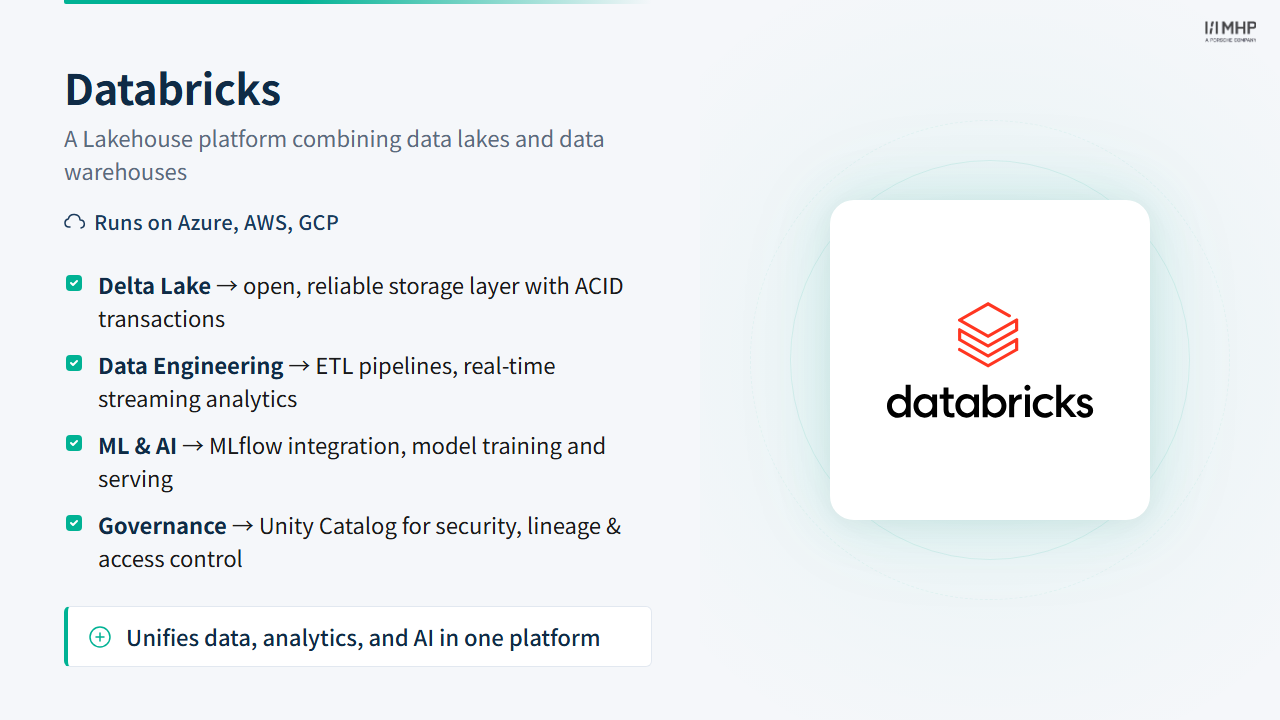
Production Databricks pipelines use LSDP (formerly DLT), typically on serverless pipeline compute. Lab notebooks use interactive PySpark on a classic all-purpose cluster — clearer for learning. Both implement the same medallion layers.
3.1 Theory: Databricks Essentials
Architecture
Databricks separates the control plane (notebooks, jobs, pipelines, user management — hosted by Databricks) from the data plane (where Spark actually runs). With classic compute, clusters run in your Azure subscription; with serverless compute, Databricks manages and scales resources for you. Your data stays in your cloud storage (Azure ADLS2 in this workshop) either way — compute and storage still scale independently.
NotePhoton Engine
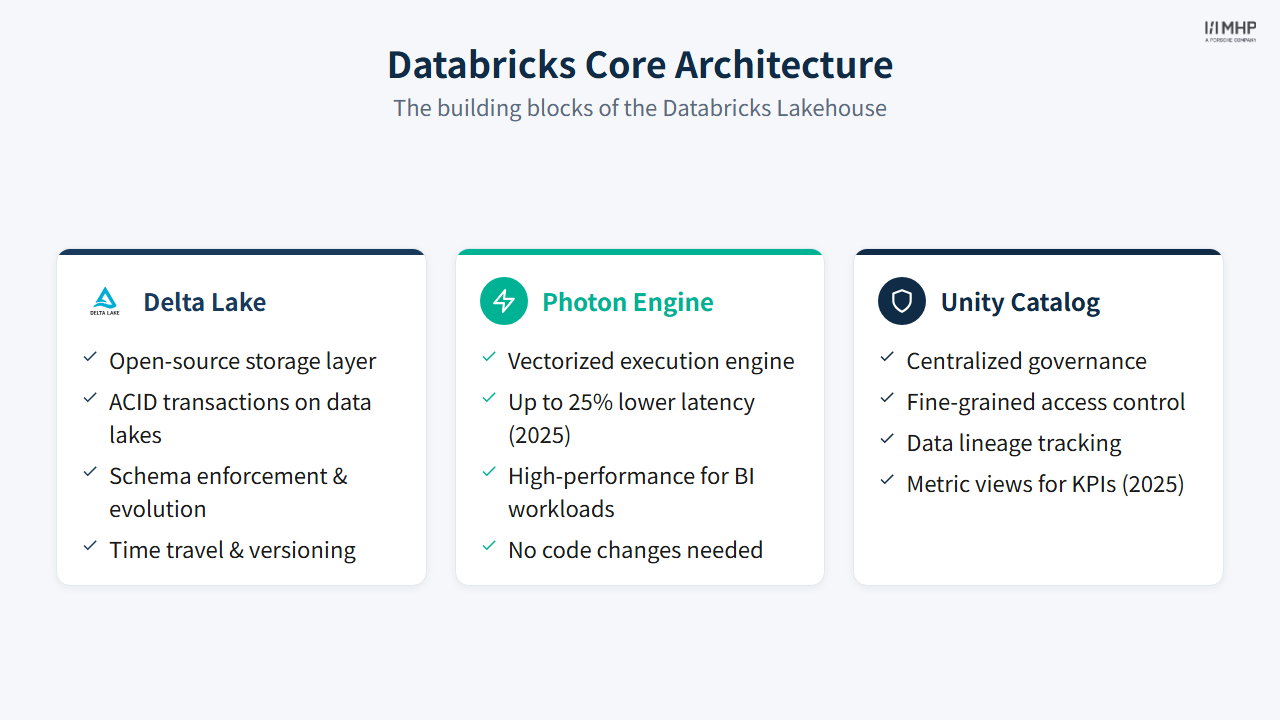
A core architecture component shown on Slide 11 is Photon — Databricks’ vectorized C++ query engine for Spark SQL and DataFrame workloads. Photon accelerates scans, joins, aggregations, and Delta/Iceberg writes, typically with no code changes. It is enabled by default on SQL warehouses and is commonly used on serverless jobs, serverless pipelines, and Photon-enabled classic compute (enable Photon when creating or editing a classic cluster or job). Databricks recommends Photon for ingestion, ETL, interactive SQL, and repeated BI queries against Gold tables (Photon on Azure Databricks).
- Workspace: Your Databricks collaboration environment — notebooks, jobs, pipelines, and shared development assets (control plane hosted by Databricks)
- Compute (left sidebar): Where you create and manage execution resources — all-purpose clusters, SQL warehouses, and (for pipelines) compute settings. In a notebook, the Connect dropdown at the top attaches your code to a specific resource.
- Classic all-purpose cluster: Interactive Spark cluster in your Azure subscription. Auto-scales (e.g., 2–8 workers) and can auto-terminate when idle. Used for hands-on development in this module.
- Lakeflow Jobs (sidebar: Jobs & Pipelines → Jobs): Orchestrates scheduled or triggered tasks. Serverless compute is the default for notebook, Python, and dbt tasks — Databricks manages scaling and runtime. Classic jobs compute (ephemeral job clusters) remains available when you need custom cluster settings; all-purpose clusters are not recommended for production schedules (jobs compute).
- Lakeflow Pipelines / LSDP (sidebar: Jobs & Pipelines → Pipelines): Declarative ETL (formerly DLT). Serverless pipelines are the path Databricks recommends today; classic dedicated pipeline compute (
serverless: false+ cluster config) is still supported when you need explicit worker sizing (LSDP compute).
ImportantLab compute: classic all-purpose cluster — not Serverless or SQL warehouse
Today’s notebooks are PySpark medallion pipelines (spark.read, spark.sql, saveAsTable) over 3,646,319 raw Parquet rows in ADLS2 (Oct 2024 workshop month).
| UI location | What it is | This lab |
|---|---|---|
| Compute (left sidebar) | Create/manage clusters and warehouses | Create your de-workshop-… all-purpose cluster here |
| Connect dropdown (notebook toolbar) | Where this notebook’s Spark session runs | Attach your running all-purpose cluster |
| Serverless (Connect option) | Databricks-managed Spark — default for many new notebooks | Not used in this lab (see why below) |
| SQL warehouse | Optimized SQL/BI engine | Not used — Module 2 needs distributed PySpark, not SQL warehouse queries |
| Environment side panel | Python package dependencies for serverless sessions | Not used when attached to a classic cluster |
Solid arrow = this lab (PySpark on a classic all-purpose cluster). Dotted = other Connect options.
Why this lab uses a classic cluster, not Serverless: 00_setup.py configures ADLS2 with a storage account access key (fs.azure.account.key) from your credential card. That pattern is simple for a first lab. Production serverless pipelines (Module 5) read ADLS2 through Unity Catalog external locations instead — no account key on compute (see databricks/production/dlt_pipeline.py in the repo). Databricks also recommends serverless jobs and pipelines for production automation; this module deliberately teaches the interactive cluster + notebook path Elena approved for the prototype.
Operational steps: Exercise: Before you start · Databricks setup · Git folder
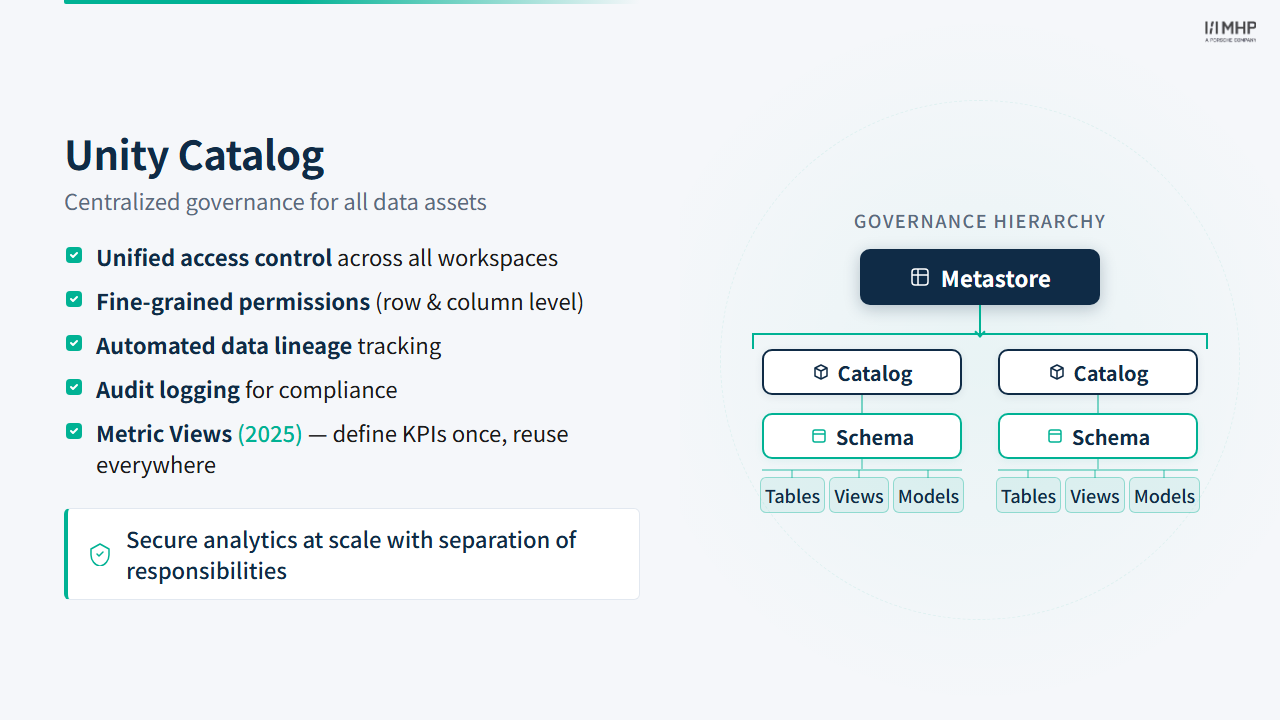
- Unity Catalog: Centralized governance layer with a hierarchical object model:
flowchart TD
    MS["Metastore<br/><i>governance boundary</i>"]
    MS --> CAT["Catalog<br/><i>mhpdeworkshop_databricks_2026</i>"]

    CAT --> S1["Schema: de_01_alice_bronze"]
    CAT --> S2["Schema: de_01_alice_silver"]
    CAT --> S3["Schema: de_01_alice_gold"]

    S1 --> T1["Tables"]
    S1 --> V1["Views"]

    S2 --> T2["Tables"]
    S2 --> V2["Views"]

    S3 --> T3["Tables"]
    S3 --> V3["Views"]
    S3 --> MV3["Materialized Views"]

    classDef metastore fill:#01065c,color:#fff,stroke:#000940
    classDef catalog fill:#0057b8,color:#fff,stroke:#003d82
    classDef schema fill:#0369a1,color:#fff,stroke:#075985
    classDef objects fill:#475569,color:#fff,stroke:#334155

    class MS metastore
    class CAT catalog
    class S1,S2,S3 schema
    class T1,T2,T3,V1,V2,V3,MV3 objects
The three-level namespace (catalog.schema.object) is what you use in SQL and PySpark. The metastore sits above all catalogs and is the trust boundary for access control, audit logging, and column-level lineage. The diagram below shows object types Unity Catalog supports; this lab creates Delta tables only (not views or materialized views).
TipMetric Views (Public Preview, 2025)
Slide 11 lists Metric views for KPIs (2025) under Unity Catalog. Metric Views are a governed UC object: you define a business metric once (measure, dimensions, filters — e.g. “average fare per mile by borough”) and consumers query the same definition from dashboards, Genie spaces, and alerts. That reduces duplicate KPI logic across teams — the same problem Priya solves with a written Gold contract in the YellowLine story.
| Pattern | Who builds it | Best for |
|---|---|---|
Physical Gold tables (kpi_*) |
Data engineer (Bob) materialises aggregates in pipelines | Explicit tables, cross-platform parity (Snowflake/dbt), Power BI Import mode — this workshop |
| Metric Views | Metric owner defines logic in UC; consumers query the view | Databricks-native BI/Genie; one governed definition without maintaining extra tables |
This lab does not create Metric Views. You build twelve physical kpi_* Gold tables (Modules 2–4) so every attendee gets the same tangible tables Priya connects in Power BI. In production, teams often use both: pipelines land curated Gold tables, then Metric Views wrap common measures for self-serve analytics.
Requires SQL warehouse Preview channel or Databricks Runtime 16.4+ (metric views release notes; Unity Catalog metric views).
NoteObjects in today’s lab
You will work primarily with managed Delta tables (Bronze, Silver, Gold). Views, materialized views, Metric Views, volumes, and functions exist in the same namespace and appear in the diagram for context — but you do not create them in this module.
- Delta Lake: Open-source table format built on Parquet. Every Delta table has a
_delta_log/directory containing JSON transaction files that record every write, update, and delete. This log enables ACID transactions (concurrent reads/writes without corruption), time travel (query the table as it was at any point:VERSION AS OF 0), and schema enforcement (reject writes that don’t match the expected schema). Periodic checkpoint files (Parquet snapshots of the log) keep read performance fast even on tables with thousands of commits.
flowchart LR
    subgraph DeltaTable ["Delta Table (Parquet files)"]
        P1["part-00000.parquet"]
        P2["part-00001.parquet"]
        P3["part-00002.parquet"]
    end

    subgraph DeltaLog ["_delta_log/"]
        L0["00000.json<br/><i>CREATE TABLE</i>"]
        L1["00001.json<br/><i>INSERT</i>"]
        L2["00002.json<br/><i>UPDATE</i>"]
        CK["00002.checkpoint.parquet"]
    end

    L0 --> P1
    L0 --> P2
    L1 --> P3
    L2 -.->|"modifies"| P1

    classDef parquet fill:#E25A1C,color:#fff,stroke:#c44a15
    classDef log fill:#0369a1,color:#fff,stroke:#075985
    classDef checkpoint fill:#6d28d9,color:#fff,stroke:#5b21b6

    class P1,P2,P3 parquet
    class L0,L1,L2 log
    class CK checkpoint
Compute cost management
For interactive development, use auto-scaling all-purpose clusters and terminate them when done — an idle cluster is the #1 cost surprise for newcomers. For production, Databricks recommends serverless jobs and serverless pipelines (no cluster to forget). When you need classic compute, use job clusters or pipeline clusters that spin up per run and terminate automatically — not all-purpose clusters on a schedule (choose compute).
ADLS2 Integration
Databricks reads directly from Azure ADLS2 using the abfss:// protocol. No staging step is required — Spark infers the Parquet schema from file metadata in a single read. Variable names match 00_setup.py:
spark.conf.set(
    f"fs.azure.account.key.{STORAGE_ACCOUNT_NAME}.dfs.core.windows.net",
    STORAGE_ACCOUNT_KEY,
)
df = spark.read.parquet(f"abfss://{STORAGE_CONTAINER}@{STORAGE_ACCOUNT_NAME}.dfs.core.windows.net/raw/trips/")
This one-line read is architecturally simpler than Snowflake’s two-step stage + COPY INTO, but gives less control over error handling for malformed files.
PySpark Pattern
The standard pattern throughout this module is Read → Transform → Write:
# Read from ADLS2 or a catalog table
df = spark.read.parquet(path)

# Transform using DataFrame operations (filter, join, aggregate)
df_cleaned = df.filter(...).withColumn(...).dropDuplicates()

# Write to a Unity Catalog table (overwrite or append)
df_cleaned.write.mode("overwrite").saveAsTable("catalog.schema.table")
PySpark DataFrames are lazy — transformations are not executed until an action (.count(), .write, or a preview) triggers computation. Workshop notebooks use preview_df() (from _workshop_bootstrap) for readable samples; .show() still works but truncates wide tables.
Don’t forget to stop your cluster
Forgetting to terminate an all-purpose cluster after a lab session is the #1 cost surprise for Databricks newcomers. When you finish the exercise, go to Compute in the sidebar and terminate your cluster. In production, prefer serverless jobs/pipelines or classic job clusters with auto-termination instead of leaving interactive compute running.
3.2 Live demo walkthrough
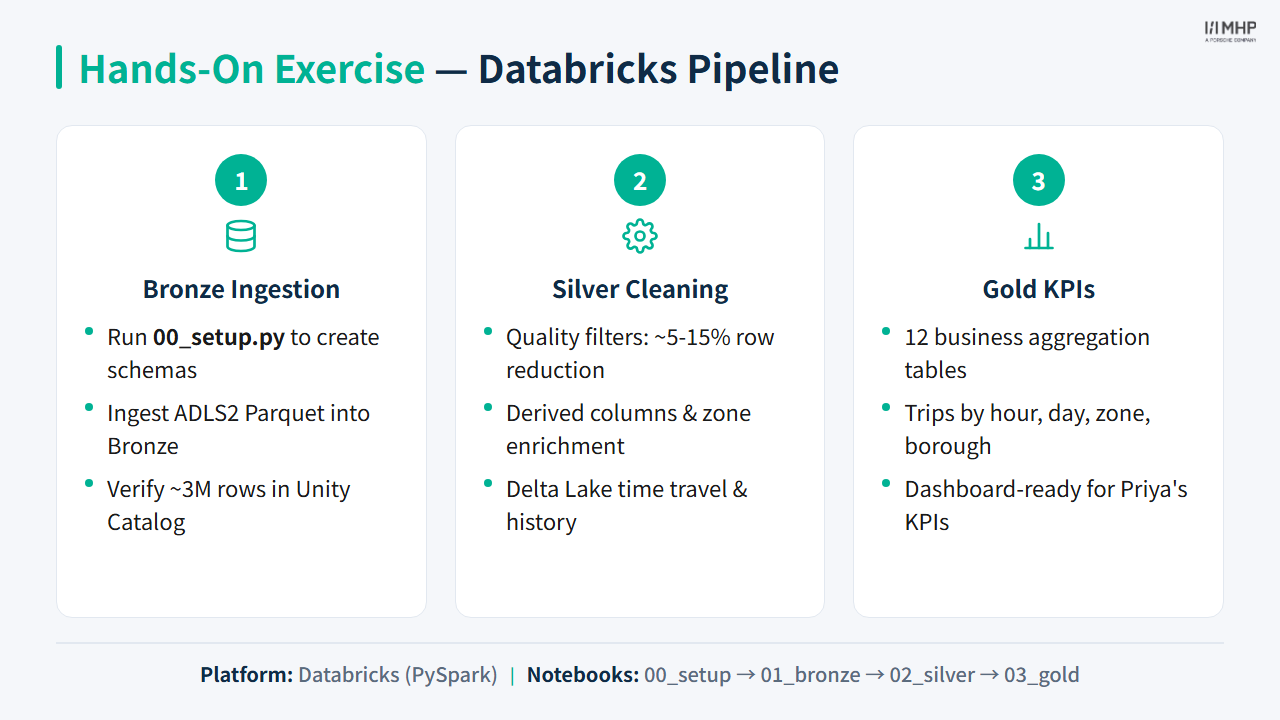
Your facilitator runs all four notebooks in sequence:
- 00_setup.py — Configure ATTENDEE_ID, ADLS2 storage account access key, create schemas (idempotent — safe to Run all again after cluster restart)
- 01_bronze_ingestion.py — Read Parquet + CSV from ADLS2, write Bronze tables (
overwrite) - 02_silver_cleaning.py — Quality filters, derived metrics, zone enrichment (
overwrite) - 03_gold_kpis.py — 12 KPI aggregations written as Gold tables (
overwrite)
3.3 Key Takeaways
- Databricks excels at complex PySpark transformations and ML workloads
- Unity Catalog provides centralized governance across all data assets
- Delta Lake gives ACID guarantees, time travel, and schema evolution
- In production, replace notebooks with LSDP on serverless pipelines + Lakeflow Jobs on serverless compute (see Module 5)
4. Quiz
Quiz: Module 2 — Databricks Pipeline Quiz
Before moving on, make sure you can answer:
- What are the three levels of the Unity Catalog namespace, and which level contains your schemas?
- What does Delta Lake provide that plain Parquet files do not?
- Why is
.write.mode("overwrite")used instead of.mode("append")for Gold KPI tables? - For today’s PySpark lab, should you attach Serverless, a SQL warehouse, or an all-purpose cluster from the Connect dropdown — and why?
5. Practice
Hands-on lab
- Exercise: Databricks Pipeline — start with Before you start (cluster, Git folder,
00_setupclone)
Notebooks: databricks/notebooks/00_setup.py through 03_gold_kpis.py.
Priya / Power BI: Overview page lights up — kpi_trips_by_hour and kpi_trips_by_day populate first charts.
Next module
Module 3: Snowflake Pipeline — Marcus reviews the prototype: My team lives in SQL — not PySpark notebooks.